Autoreader of txt files
- Ціна
- $3
- Автор
- Куличенко Александр Михайлович
- Категорія
- Програмне забезпечення
Опис
RSVP Reader: Automated Speed Reading Software — User Manual
This program is designed to significantly increase (by several times) your reading speed for fiction and long articles consisting of plain text (without illustrations, tables, graphs, or formulas).
Key Training Benefits:
- Eliminates subvocalization (reading "silently" in your head).
- Prevents regression (eyes moving back to re-read previous words).
- Improves focus, concentration, and stamina.
- Results: With consistent practice, you can achieve reading speeds of 600 words per minute (WPM) and higher.
Note: This software is not suitable for reading materials with embedded images.
Controls and Features
The program is a Windows application that processes text in .TXT format.
- Default Speed: 2 words per second (120 WPM).
- Spacebar: Start or Pause the reading process.
- Right Arrow / Up Arrow: Increase reading speed (faster word transitions).
- Left Arrow / Down Arrow: Decrease reading speed (slower word transitions).
How to Use the Program
- Installation: Unzip the ZIP archive to any convenient location on your PC. You will see a folder named "RSVPReader" containing all necessary system files.
- Demo File: Open the "RSVPReader" folder and locate the text.txt file. This is a demonstration file you can use to test the software.
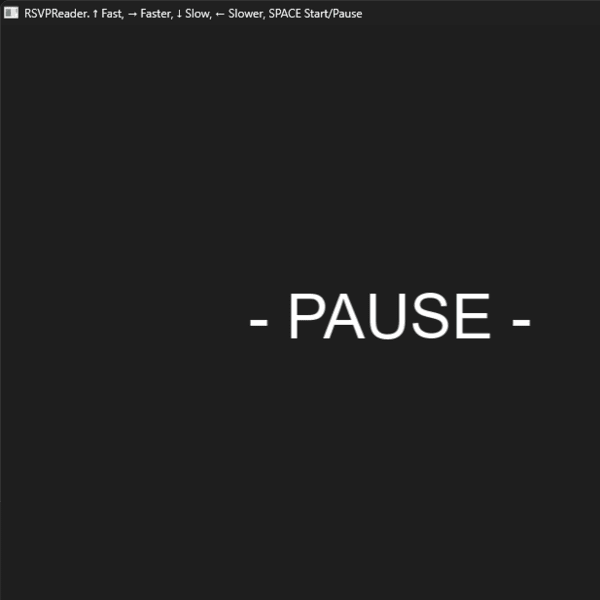
- Launching: Double-click RSVPReader.exe. A "--- Pause ---" message will appear. The program is now waiting for you to press the Spacebar to begin reading the text.txt file.
- Reading: Press Spacebar to start. Words will appear sequentially on the screen.
- Pausing: Press Spacebar again to pause. The last word displayed will remain on the screen. Press Spacebar once more to resume.
- Adjusting Speed: While reading, use the Arrow Keys. The speed indicator will display a number of words per minutes and seconds.
-
Reading Your Own Texts: * You can delete or rename the original text.txt.
- Place your own text file into the folder and rename it exactly to "text" (e.g., text.txt).
- The program specifically searches for a file with this name. If the file is missing, the reader will not launch.
- Encoding Requirements: The program only supports the UTF-8 character encoding. If you launch the program and the text is invisible or displays incorrectly, the file likely has the wrong encoding.
- Language Support: The software supports English, Ukrainian, Russian, and other languages.
Text Preparation Recommendations:
- File Format: txt
- Character Encoding: UTF-8 (Mandatory)
- Content: Plain text only (remove images, tables, and complex formatting before saving).
If text not in UTF-8 encoding then you can`t see the text but something like that:
This is Windows-1251, not UTF-8.
2) It is recommended that spaces separate only whole words and that there are no hyphenated word breaks (line breaks).
3) If any punctuation mark, number, or special symbol is surrounded by spaces on both sides, the program will treat it as a separate word and display it as an individual entry.
Example:
In the phrase "either - or", the program interprets "either", "-", and "or" as three separate words. We recommend attaching the dash to the word on the left or the right to keep them together, like this: "either-" or "-or".
4) For the best experience, punctuation marks should be placed directly after the word (without a preceding space).
Recommended format:
Word, word.
Avoid this format:
Word , word .
This is because every punctuation mark surrounded by spaces will be interpreted by the program as an individual "word" and displayed on its own.
Ще від автора Куличенко Александр Михайлович
- Технический Разум — $1.50
- Программирование на С с нуля для новичков — $10
- Авторидер txt файлов — $3
- Настройка Среды Разработки С23+RayLib с нуля для новичков — 0 ₴+
- Как создавать базу знаний и писать тексты на её основе — $6.50
- How to create knowledge base and write text — $6.50
- Mind Canvas PRO — $6.50
- Полотно Идей PRO — $6.50
Інші продукти в категорії «Програмне забезпечення»
- Reef — особисті фінанси безкоштовно — Taras Romaniuk
- PDF - гайд. Бекап Без Нервів. Або Як не втратити критично важливі дані. — Yaroslav Koshmanenko
- Next.js шаблон портфоліо — один конфіг файл, темна тема, готове SEO — Дмитро Щербина
- TIPSTER GPS ANDROID/IOS — Tipster
- VoiceChip // 1000 Credits — Damir Podchasov
- VoiceChip App // for MacOS — Damir Podchasov
- Розробка кастомного ПЗ для автоматизації завдань на Windows — Олександр
- Розробка багатосторінкового сайту для презентації послуг та товарів — Олександр